
Update Client Secret for Google Workspace Integration
The Google Workspace integration signs in using OAuth (Open Authorization, the standard Google uses to let one application act on your behalf). Part of that sign-in is a client secret: a password-like string that proves Cloud Voice is the app Google expects. If that secret changes, for example after you rotate credentials in the Google Cloud console, you must give the new value to Cloud Voice so the connection keeps working. The steps below show you where to enter it.
Procedure
Section titled “Procedure”-
Sign in to the PBX web portal and open Integrations > Collaboration.
-
In the Basic section, find Update Client Secret at the top right and click it.

-
In the window that opens, supply the new secret:
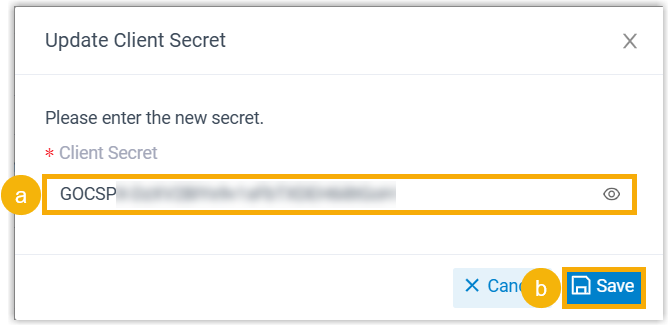
a. Paste the new value into the Client Secret field.
b. Click Save.
Question about this page?
Ask the AI assistant. It starts from this page, then searches the rest of the docs.
Ask Cloud Voice AI
Answers are AI-generated from the docs and may contain mistakes. Verify with the linked pages.