
Set up Phone Call Activity Creation
Phone call activities let you keep a record in Dynamics 365 CRM (Customer Relationship Management, the system that stores your contacts and their interaction history) of every call your team places to or receives from an external number. You can have the integration log these calls on its own, or leave logging in your hands and fill in the details manually. This page walks through both approaches.
Choose how activities are logged
Section titled “Choose how activities are logged”-
Sign in to the Cloud Voice App for Dynamics 365 plugin, then click the preferences icon
 .
. -
Open the Dynamics Integration tab.
-
(Optional) Turn on Open “Phone Call Activity” Page When Entering a Call.

With this enabled, answering an inbound or outbound call brings up a Phone Call Activity page right away so you can capture the call details.
-
Decide whether activities are created automatically or by hand.
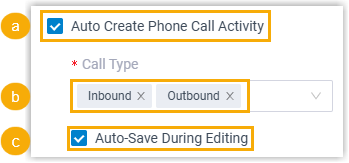
To have the integration create an activity for you on every external call:
-
Select Auto Create Phone Call Activity.
-
From the Call Type drop-down, pick when the activity is generated:
- Inbound: the moment an incoming call is answered.
- Outbound: the moment an outgoing call is answered.
-
(Optional) Select Auto-Save During Editing so your edits are written as you type. Leave it off and your changes are stored only after you click Save.
To log calls yourself instead, clear the Auto Create Phone Call Activity checkbox.
-
-
Click Save.
What happens on a call
Section titled “What happens on a call”When an inbound or outbound call is answered, a Phone Call Activity page opens inside the call window so you can record what was discussed.
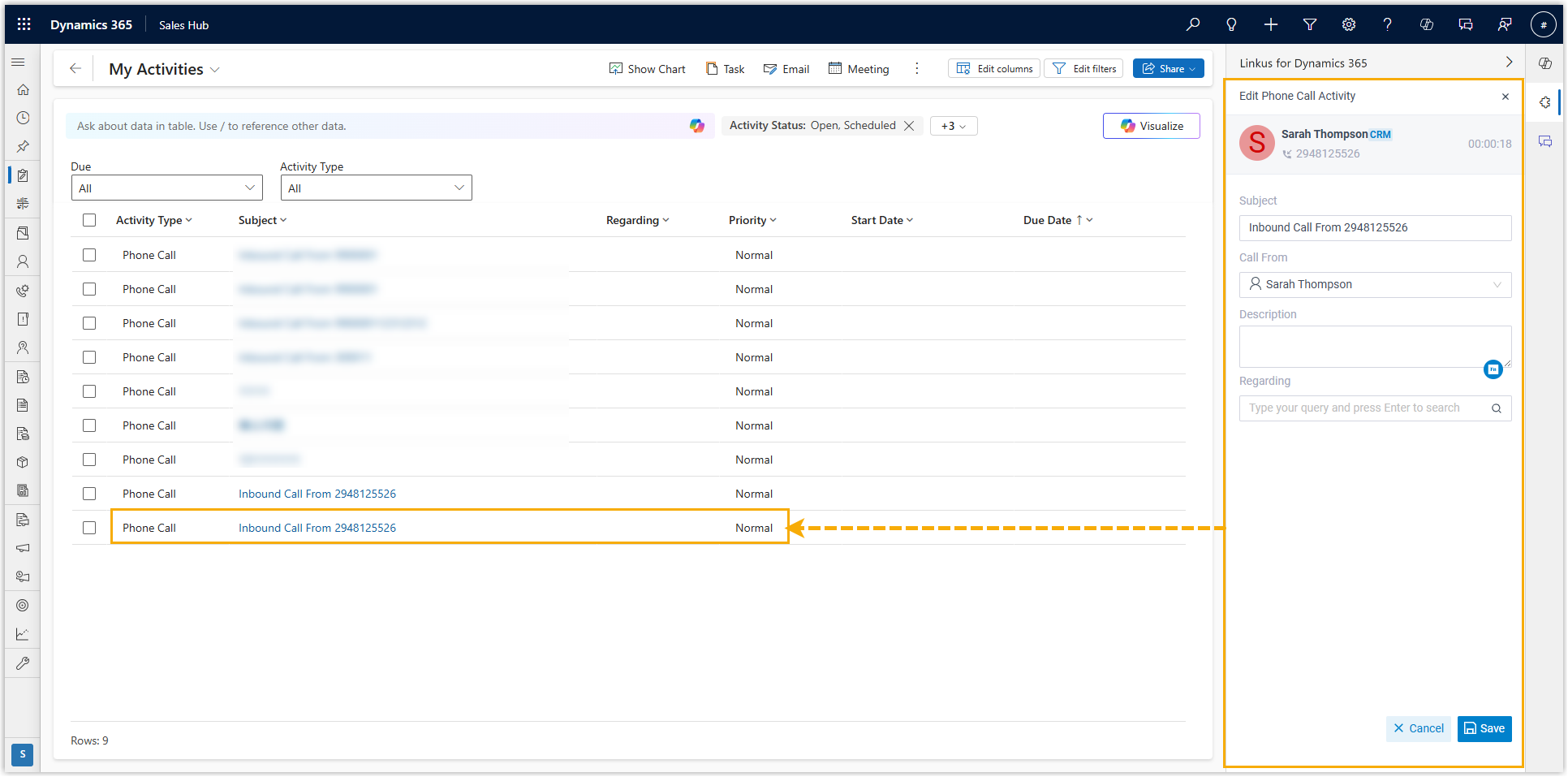
- With automatic creation on, the activity record is written to Dynamics 365 as soon as the call is answered. Anything you edit in the call window syncs back to that record.
- With automatic creation off, you enter the call details yourself, and the matching activity record is created in the CRM when you save.
Question about this page?
Ask the AI assistant. It starts from this page, then searches the rest of the docs.
Ask Cloud Voice AI
Answers are AI-generated from the docs and may contain mistakes. Verify with the linked pages.