
Queue Panel Overview
The Queue Panel is the real-time hub for running your call center. From one screen you can read live call statistics, act on calls as they ring and connect, set each agent’s availability, and follow up on calls that were missed or abandoned. This page covers what the panel offers and how permissions decide which of those actions are available to you.
Requirements
Section titled “Requirements”You open the Queue Panel from the Cloud Voice App. Make sure the app you use meets the minimum version below.
| Client | Requirement | |
|---|---|---|
| Cloud Voice Web App | Google Chrome (recommended) | Chrome 87 or later |
| Microsoft Edge | Edge 87 or later | |
| Opera | Opera 72 or later | |
| Cloud Voice Desktop App | Version 1.10.2 or later |
What the Queue Panel does
Section titled “What the Queue Panel does”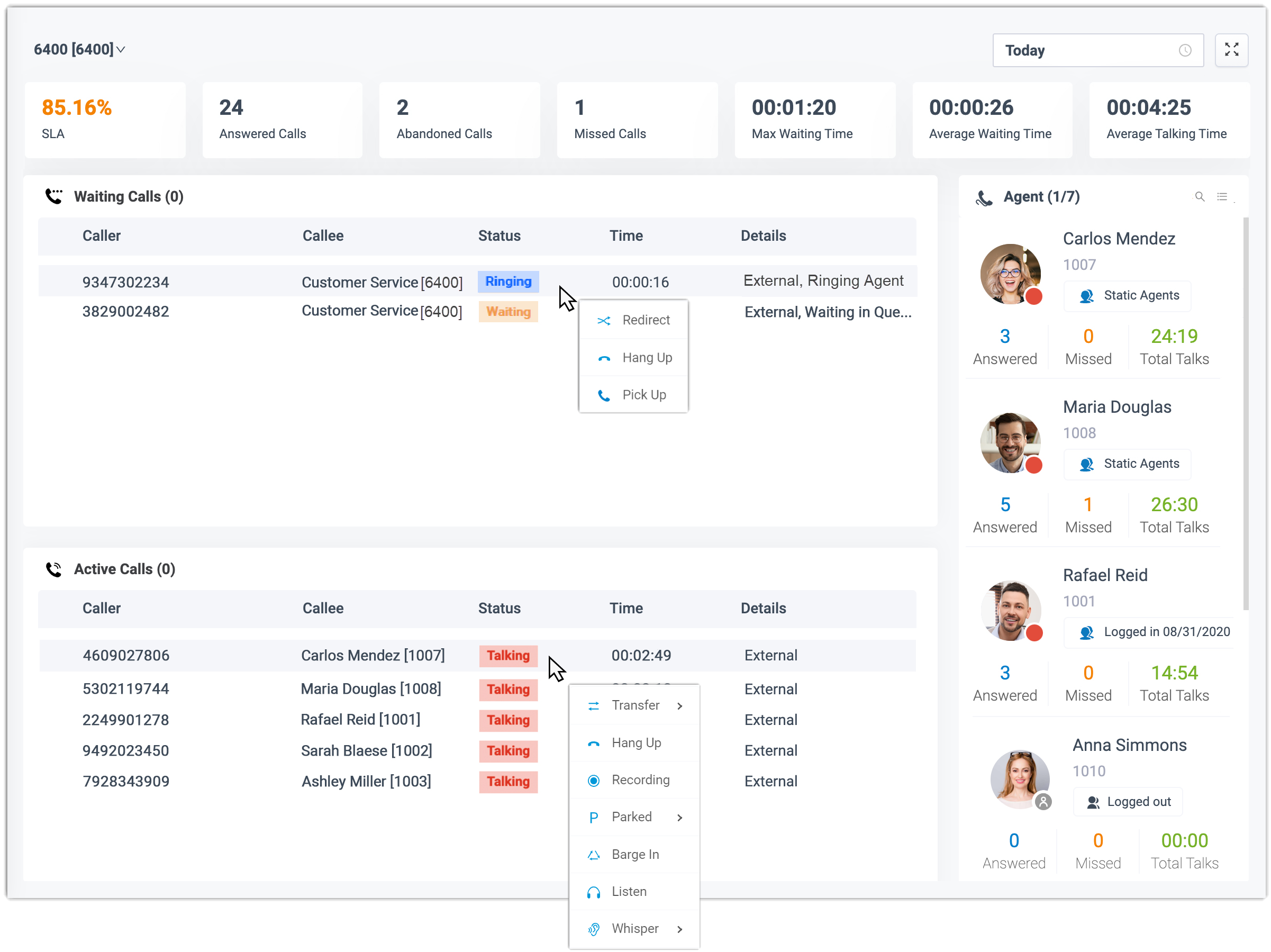
The panel keeps everything you need to run a queue on a single, uncluttered screen. Use it to:
- Track call statistics for each queue and for each individual agent.
- Set an agent’s queue status, log in, log out, pause, or unpause.
- Handle live queue calls:
- Call distribution: redirect incoming calls and transfer connected ones.
- Call connection: pick up a ringing call or hang up an active one.
- Call parking: park a call.
- Call recording: monitor recording and switch it on or off.
- Call monitoring: listen in on a call, whisper to the agent, or barge in.
- Work through missed and abandoned calls by moving each one through its processing status: not deal, dealing, and dealt.
For the step-by-step procedures, see Access and Use Queue Panel.
Permissions
Section titled “Permissions”What you can actually do on the panel depends on the permissions your system administrator grants you. Each capability below is controlled separately:
- Switch agents’ status.
- Manage call distribution (redirect, transfer, and drag-and-drop operations).
- Pick up or hang up agents’ calls.
- Use call monitoring operations (listen, whisper, and barge in).
- Park calls.
- Switch an agent’s recording status.
- Show matching results from company contacts.
Question about this page?
Ask the AI assistant. It starts from this page, then searches the rest of the docs.
Ask Cloud Voice AI
Answers are AI-generated from the docs and may contain mistakes. Verify with the linked pages.