
Automatically Switch Agent Status Based on Extension Presence
Your extension presence (for example, moving from Available to Away or Do Not Disturb) can drive your agent status in the call queues you serve. Once you link the two, changing presence in the Cloud Voice App also updates whether you are logged in, logged out, or paused in your queues, so you don’t have to adjust both separately.
Set up the auto-switch
Section titled “Set up the auto-switch”-
Sign in to the Cloud Voice App (Web or Desktop) and open Preferences > Presence.
-
In the status bar, click the presence status you want to configure.
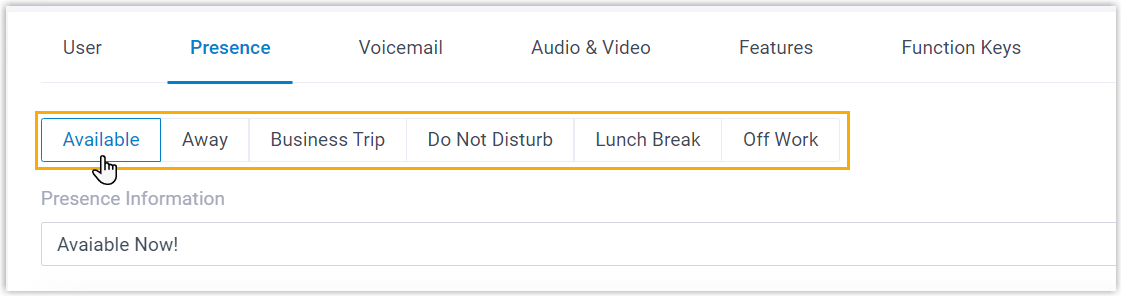
-
Under the Options section, choose the behavior you want from the Agent Status Auto Switch drop-down list:
Option What happens when your extension enters this presence Log In You are automatically logged in to every queue you belong to. A dynamic agent is logged in to the queues; a static agent resumes taking calls from them. Log in to Last Queues You are automatically logged in to whichever queues you were last signed in to. A dynamic agent is logged in to those queues; a static agent resumes taking calls from them. Log Out You are automatically logged out of every queue you belong to. Pause You automatically pause queue calls, so the queue stops routing calls to you. Do Nothing Your agent status in the queues is left unchanged. 
-
To set an auto-switch behavior for other presence statuses, repeat steps 2 and 3 for each one.
-
Click Save.
Question about this page?
Ask the AI assistant. It starts from this page, then searches the rest of the docs.
Ask Cloud Voice AI
Answers are AI-generated from the docs and may contain mistakes. Verify with the linked pages.