
Get System Info
The Get System Info component reads information about your Cloud Voice system and saves it into variables you can reference elsewhere in a call flow. Use it when a downstream component or a routing decision needs values like the device name, product model, firmware version, or current system time.
What it does
Section titled “What it does”Get System Info runs a one-time query for system details and writes each result to a variable. Later components can read those variables directly, and components that evaluate expressions (for example, Condition) can branch on them. Nothing is played to the caller; the component simply gathers data and passes control to the next step.
The query runs once, at the moment the call reaches this component, so each variable holds a snapshot taken at that instant. For example, systemTime reflects the exact time the component ran, not the time the call started.
Add and configure the component
Section titled “Add and configure the component”-
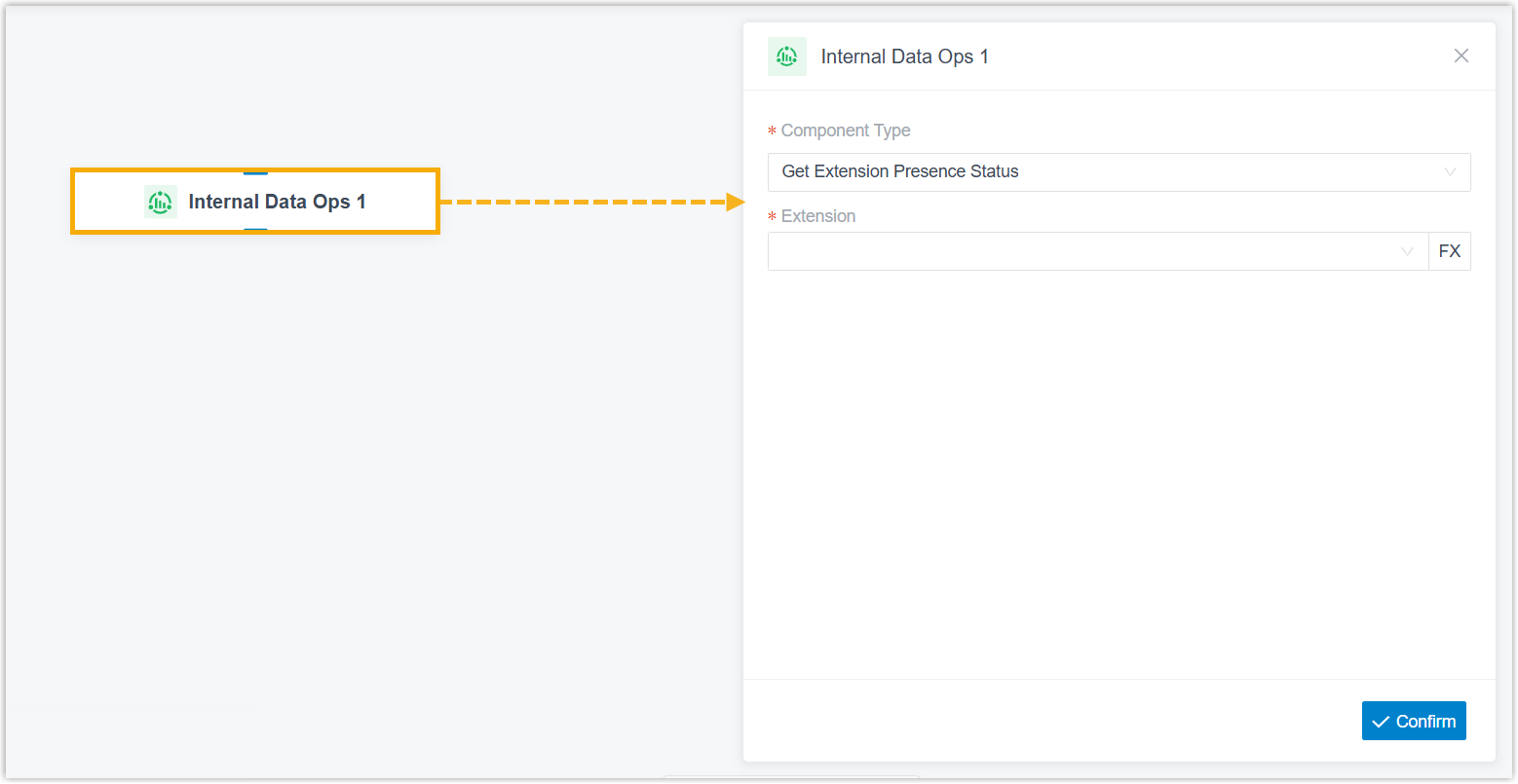
Drag an Internal Data Ops component onto the call flow, then click it to open its settings.
-
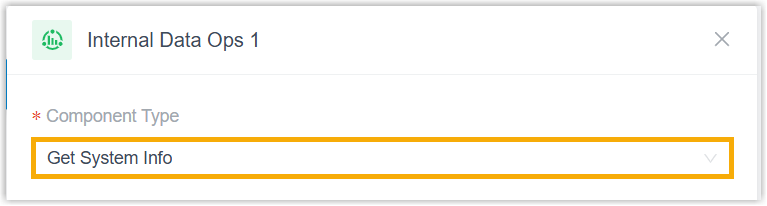
Open the Component Type drop-down list and choose Get System Info.
-
Click Confirm in the bottom-right corner.
Variables
Section titled “Variables”Each time the component runs, it populates the variables below. Reference them in any expression-capable component to read a value and act on it.
| Variable | Type | Description | Example value |
|---|---|---|---|
$GetSystemInfo{index}.deviceName | String | Device name | "PBX" |
$GetSystemInfo{index}.modelName | String | Product model | "Cloud Voice" |
$GetSystemInfo{index}.sn | String | Serial number | "3631A2124123" |
$GetSystemInfo{index}.firmwareVersion | String | Firmware version | "84.22.0.17-beta1" |
$GetSystemInfo{index}.systemTime | String | Current system time | "2026/01/30 09:46:44" |
$GetSystemInfo{index}.systemUptime | Integer | System uptime, in seconds | 88606 |
Connections
Section titled “Connections”Get System Info connects to exactly one following component: it does not branch to several destinations at once. Any of the components below is a valid target.
| Component | Purpose |
|---|---|
| Prompt | Plays an audio prompt or a text-to-speech message to the caller. |
| Business Hours | Routes calls to different destinations based on the time of day. |
| Menu | Presents a set of options and routes the call by which key the caller presses on their phone keypad (the DTMF, or Dual-Tone Multi-Frequency, tone). |
| User Input | Collects DTMF digits from the caller, usually paired with Condition to act on the entry. |
| Language | Changes the system prompt language for the components that follow. |
| Record | Starts call recording once the caller connects to another party (with optional notification prompts), or disables recording for calls that would otherwise be recorded. |
| Dial by Number | Lets callers dial a number directly to reach a destination. |
| Dial by Name | An end component; callers reach an extension user by entering the first three letters of that user’s name. |
| Transfer | An end component that transfers the caller to a chosen destination, optionally announcing the transfer. |
| Hang Up Call | An end component that disconnects the call. |
| Condition | Routes the call according to logical expressions. |
| Loop | Runs a group of components repeatedly, either a set number of times or until a condition is met. |
| Internal Data Ops | Queries or updates data in the phone system’s built-in database. Choose a specific operation, such as Get Queue Info, Get Extension Info, or Get System Capacity. |
| Email Sender | Sends email for real-time notifications, alerts, or delivery of user-specific information. |
| Database Access | Runs SQL (Structured Query Language) operations against a database to read or write data during the call. |
| HTTP Request | Sends HTTP requests to external web servers to exchange data with third-party services. |
Question about this page?
Ask the AI assistant. It starts from this page, then searches the rest of the docs.
Ask Cloud Voice AI
Answers are AI-generated from the docs and may contain mistakes. Verify with the linked pages.