
Allow Agents to View Queue Call Logs in the Cloud Voice App
Give the agents in a queue access to that queue’s call history so they can review incoming and missed calls straight from the Cloud Voice App. You decide which agents get access and how much of the queue’s activity each one can see.
A queue is a shared line that hands incoming calls to a group of agents. By default an agent sees only their own call history, not the queue’s shared history. The permission below is what turns that queue-wide view on.
Configure queue call log access
Section titled “Configure queue call log access”-
Sign in to the PBX (Private Branch Exchange, your hosted phone system) web portal and go to Call Features > Queue.
-
Click the edit icon
 next to the queue you want to configure, then open the Queue Panel Permissions tab.
 -
Scroll down to the Agents section and set the following.
a. Select the Queue Call Logs checkbox.
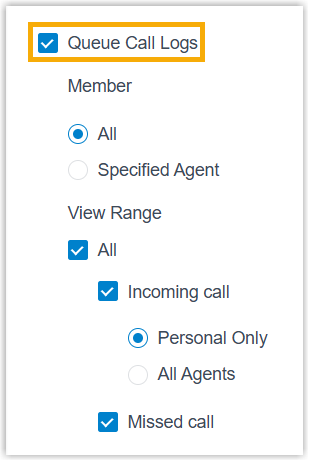
b. Define who can view the logs and how much they can see, using the two settings below.
Member: controls which agents are allowed to open the queue’s call logs.
- All: every agent assigned to the queue can view its call logs.
- Specified Agent: only the agents you select can view the logs.
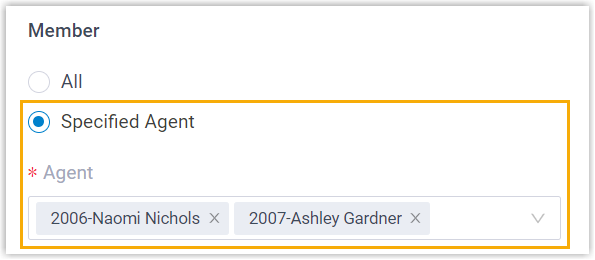
View Range: controls which of the queue’s call logs the authorized agents can see.
- All: agents see every call log, including both answered (incoming) and missed calls.
- Incoming call: agents see the logs for answered queue calls only. Narrow the scope further with:
- Personal Only: each agent sees only the calls they personally answered.
- All Agents: agents see every call answered by any agent in the queue.
- Missed call: agents see the logs for missed queue calls, along with the processing status of each missed call.
-
Click Save.
Result
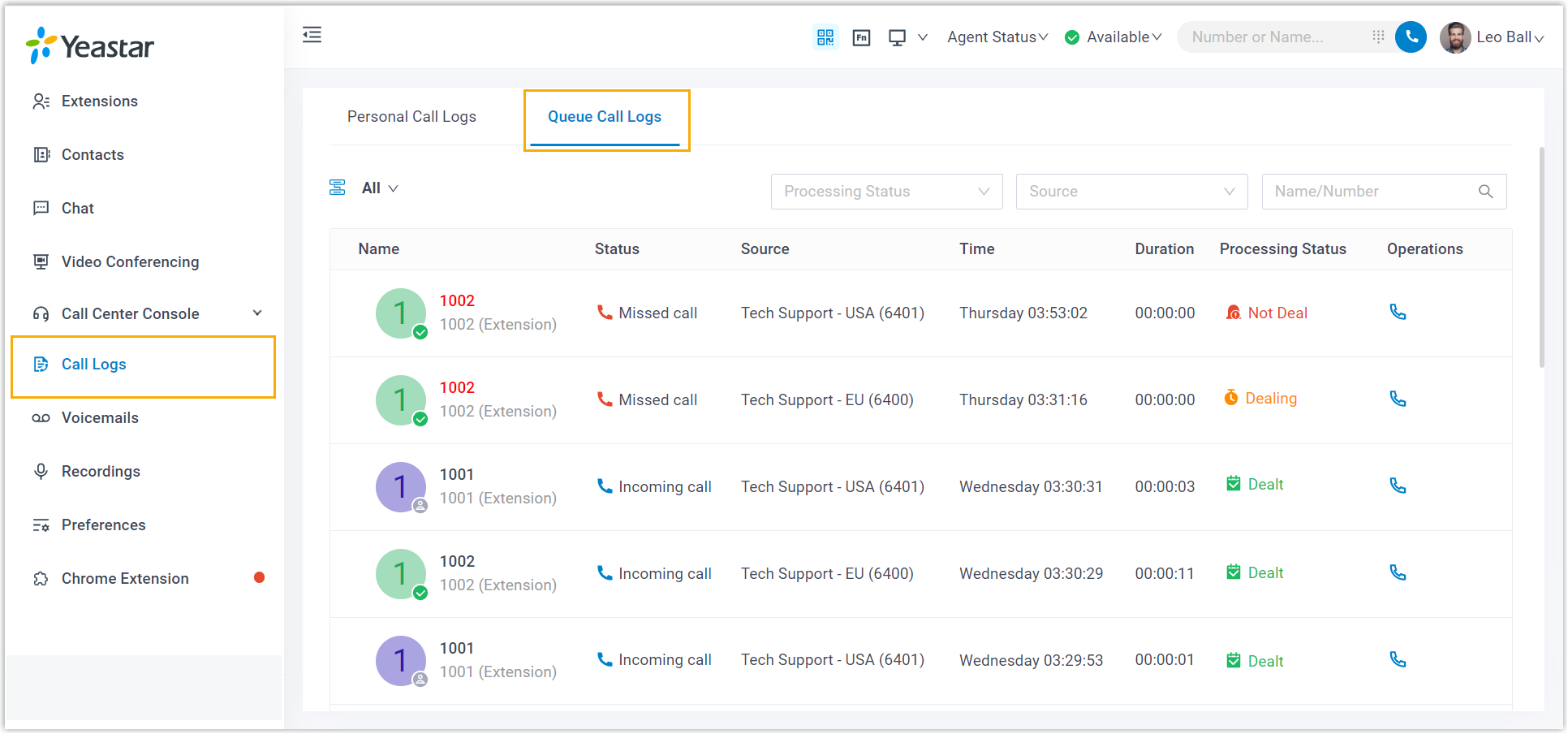
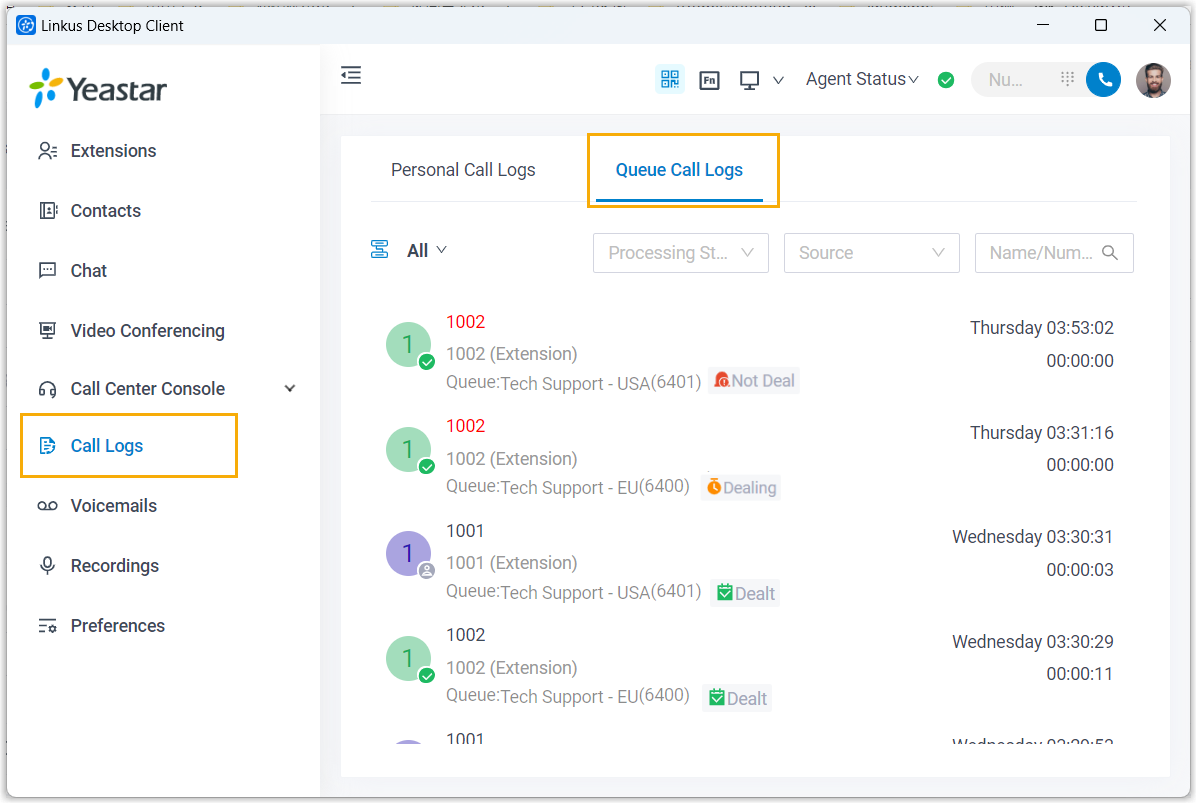
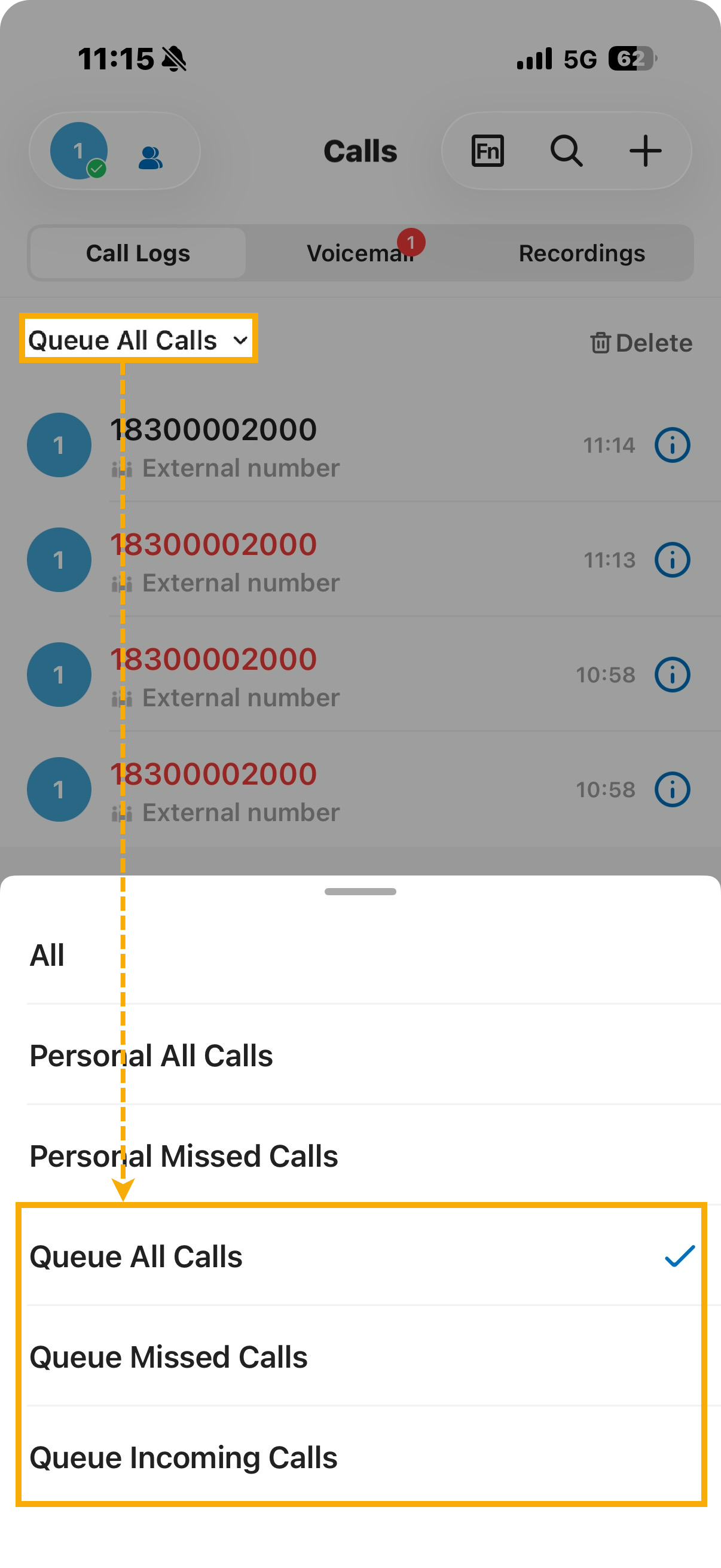
Section titled “Result”The authorized agents can now review the queue’s call history in the Cloud Voice App under Call Logs. The view is available across the web, desktop, and mobile versions of the app.
Question about this page?
Ask the AI assistant. It starts from this page, then searches the rest of the docs.
Ask Cloud Voice AI
Answers are AI-generated from the docs and may contain mistakes. Verify with the linked pages.