📞 Agent Call Summary Report
Agent Call Summary report provides a quick overview of the internal calls and inbound calls received by queue agents, as well as the outbound calls that were made by queue agents. This topic introduces how to access the report and explains the key metrics in detail.
Access Agent Call Summary Report
- Log in to PBX web portal, go to Reports & Recordings > Call Reports.
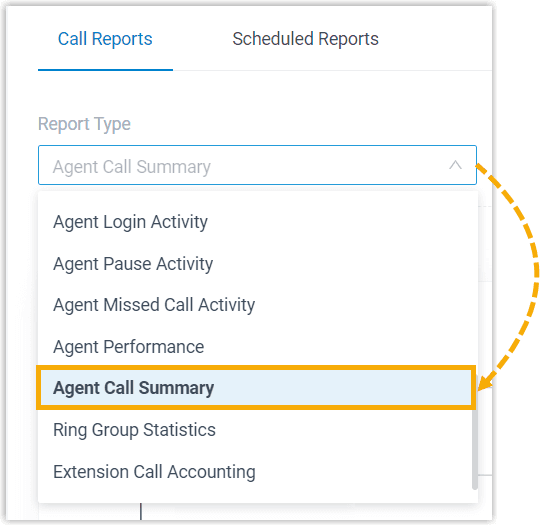
- In the Report Type drop-down list, select Agent Call Summary.
- Filter data by system time, queue, or agent(s).

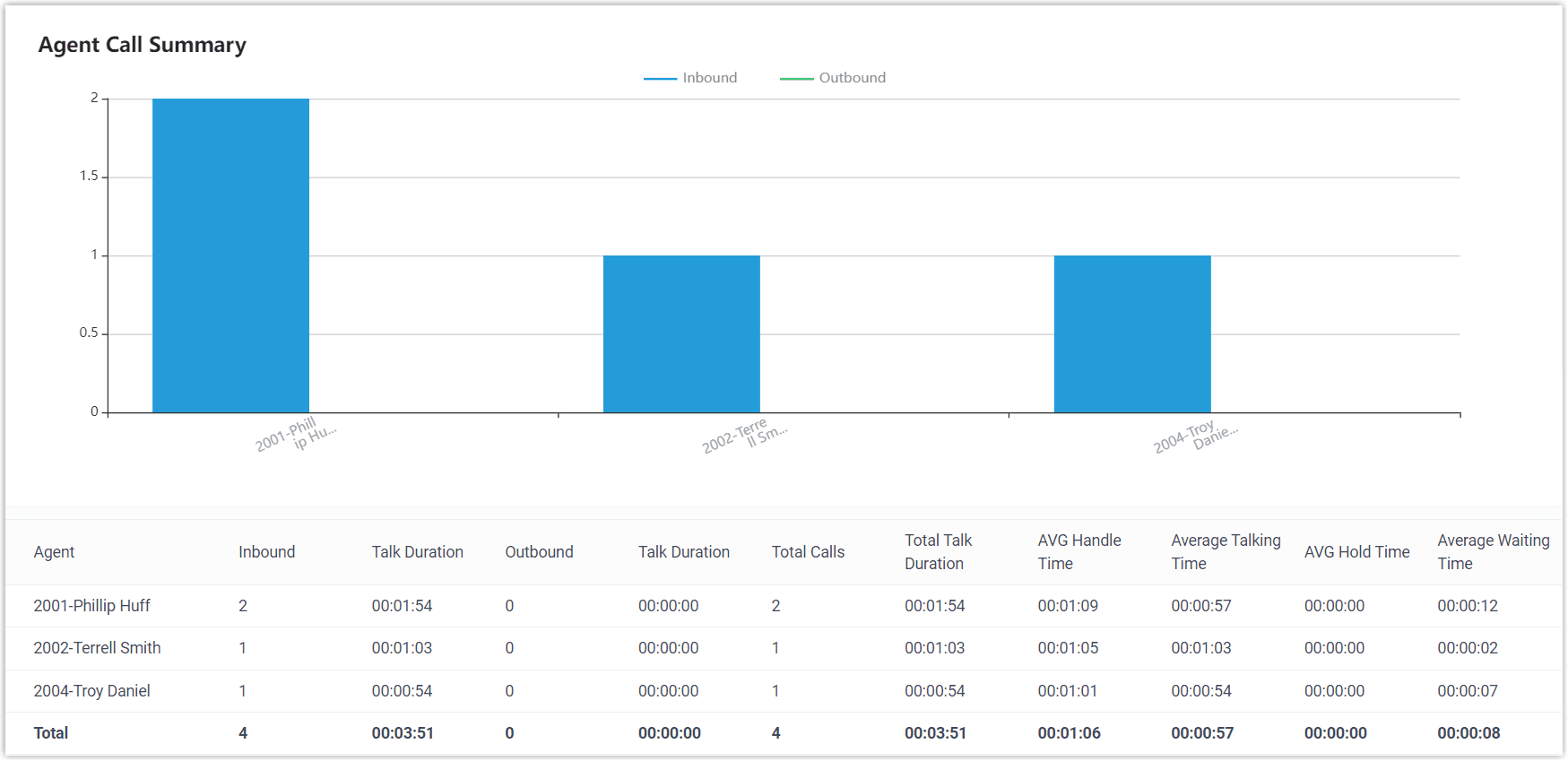
- Analyze the report details displayed on the page.
Report details
The key metrics for Agent Call Summary report are shown below.
| Metric | Description |
|---|---|
| Inbound | The number of internal calls and inbound calls that the agent received. |
| Inbound Talk Duration | The amount of time that the agent spent in internal calls and inbound calls. |
| Outbound | The number of outbound calls that the agent made. |
| Outbound Talk Duration | The amount of time that the agent spent in outbound calls. |
| Total Calls | The total number of calls that the agent received and made, inclusive of all calls handled by the agent. |
| Total Talk Duration | The total amount of time that the agent spent in internal, inbound calls, and outbound calls. |
| AVG Handle Time | The average amount of time that the agent spent in handling calls. Formula: (Total Ring Duration of Answered Calls + Total Talk Duration of Answered Calls) / Total Calls |
| AVG Talking Time | The average amount of time that the agent spent talking to callers. Formula: Total Talking Time / Total Answered Calls |
| AVG Hold Time | The average amount of time that the caller was held. Formula: Total Hold Duration / Total Answered Calls |
| Average Waiting Time | The average amount of time that inward calls waited before being answered by the agent. Formula: (Total Ring Duration of Answered Calls + Retry Interval) / Total Answered Calls |