Manage Queue Call Logs
This topic describes how to check the queue call logs and manage the processing status of queue calls on IZT Cloud Voice Desktop Client.
Requirements
System administrator has granted you the viewing permission for queue call logs.
Procedure
Check Call Logs
- Log in to IZT Cloud Voice Desktop Client, go to Call Logs > Queue Call Logs.
- Optional: At the top of the list, filter or search for the desired call logs.
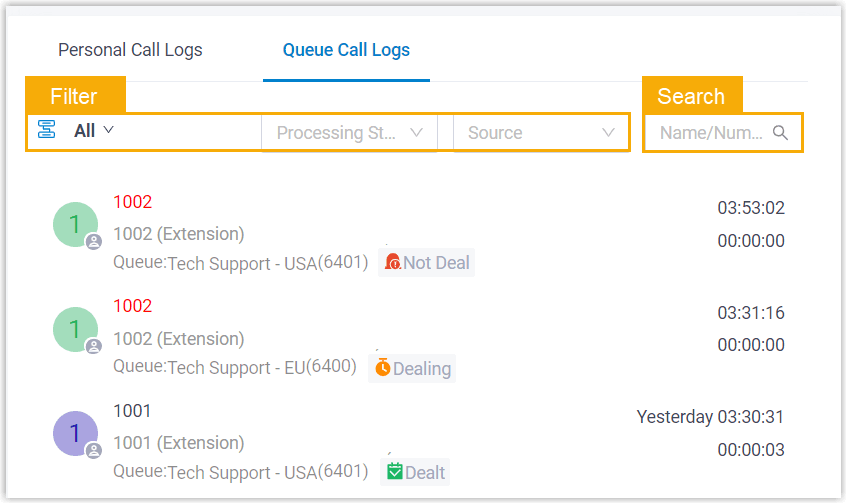
- You can check the source of the queue call logs, as well as the processing status of missed queue calls.

- Source: The queue the call came from.
- Processing Status: The processing status of a missed queue call.